
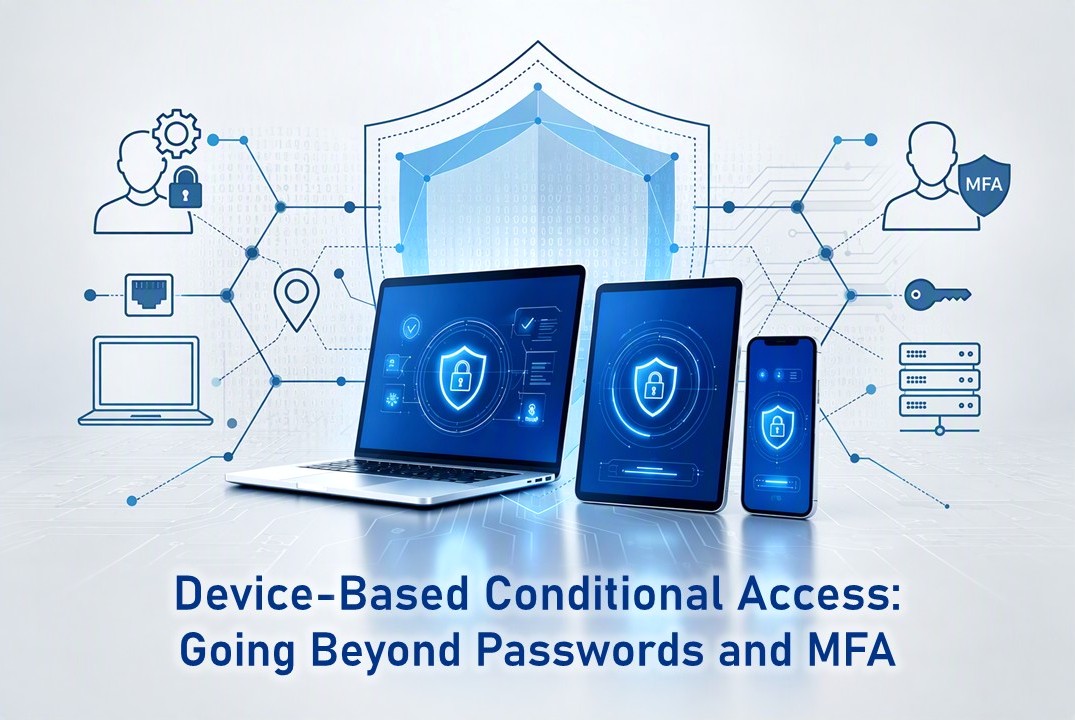
Passwords were once considered the first line of defence. Then came multi-factor authentication (MFA), adding another layer of protection against unauthorized access. But as cyberattacks continue to evolve, these traditional security measures are no longer enough.
Why Traditional Authentication Falls Short
Today’s workforce is more mobile than ever. Employees now access corporate resources from the office, home, and other remote locations using a mix of company-issued and personal devices. While this flexibility improves productivity, it also introduces new security challenges.
Personal and unmanaged devices may be missing critical security updates, lack antivirus or endpoint protection, or even be jailbroken or rooted. Shared devices further increase the risk of unauthorized access, while limited IT visibility makes it difficult to enforce consistent security policies.
At the same time, modern authentication faces increasingly sophisticated threats. Credential theft, phishing, MFA fatigue, session hijacking, and stolen authentication tokens can all bypass traditional login protections. In many cases, the user may be legitimate, but the device they are using has already been compromised by a cyberattack.
This raises an important question: Is authentication alone enough to keep your business secure?
Common Cyberattacks That Exploit Traditional Authentication
1. Adversary-in-the-Middle (AiTM) Phishing
Adversary-in-the-Middle (AiTM) phishing is an advanced cyberattack that intercepts a user’s authentication process, allowing attackers to steal credentials and hijack authenticated sessions to bypass multi-factor authentication (MFA). According to Microsoft’s Digital Defense Report 2024, AiTM phishing attacks increased by 146% over the year, highlighting the growing threat to organizations.
A typical AiTM attack works as follows:
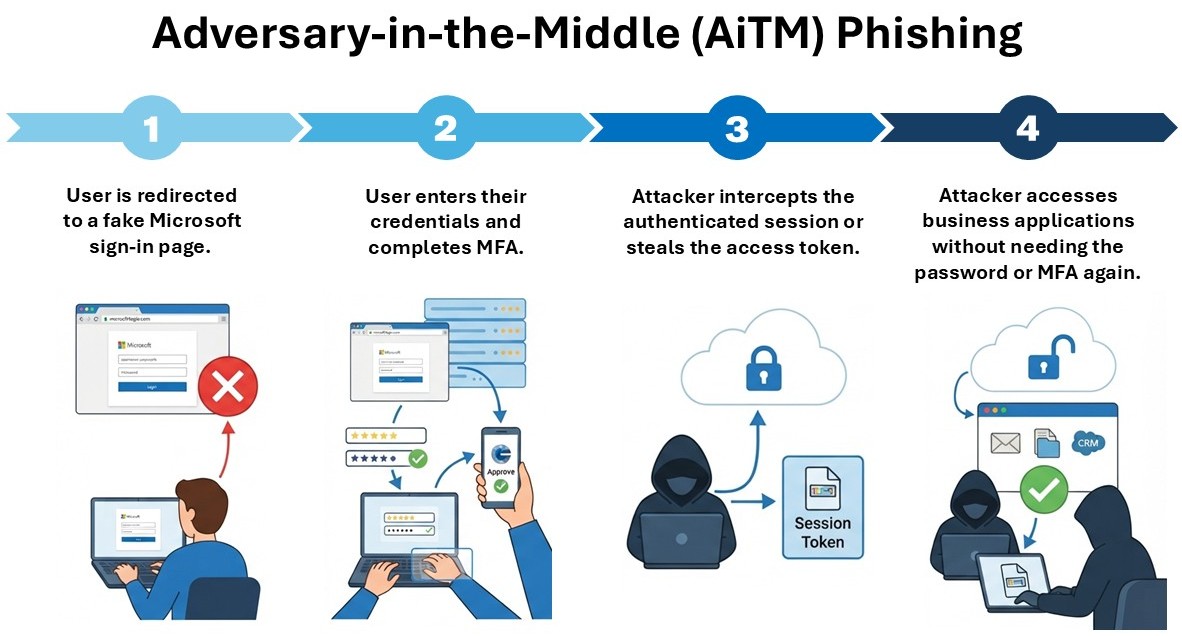
Although the user successfully authenticates, the cyberattacker hijacks the trusted session and impersonates the legitimate user.
2. Remote Access Trojans (RATs)
A Remote Access Trojan (RAT) is a type of malware that gives cyberattackers remote control of an infected device, allowing them to steal data and access corporate resources.
A typical RAT attack may unfold as follows:
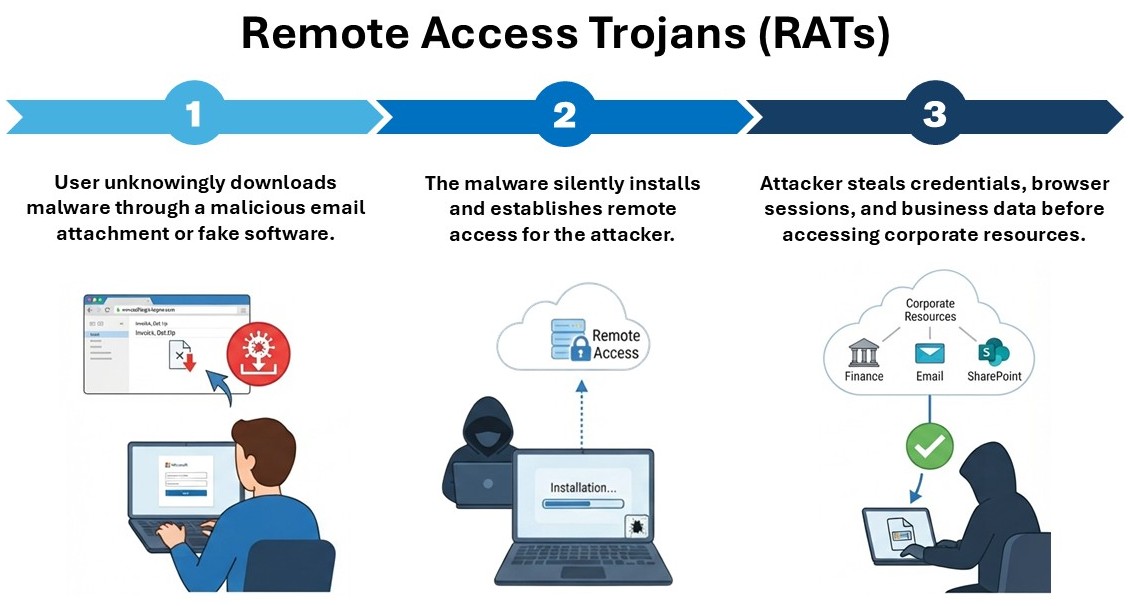
A notable example occurred in 2025, when North Korea’s Lazarus Group used fake recruitment files to infect employees at three European defense companies, enabling cyberattackers to gain remote access to sensitive systems.
3. Chromium Browser Vulnerabilities and Session Theft
Modern Chromium-based browsers often store credentials, cookies, and session tokens to improve user experience. If malware gains access to these, cyberattackers can access business applications without logging in or triggering MFA.
A typical browser session theft attack involves:
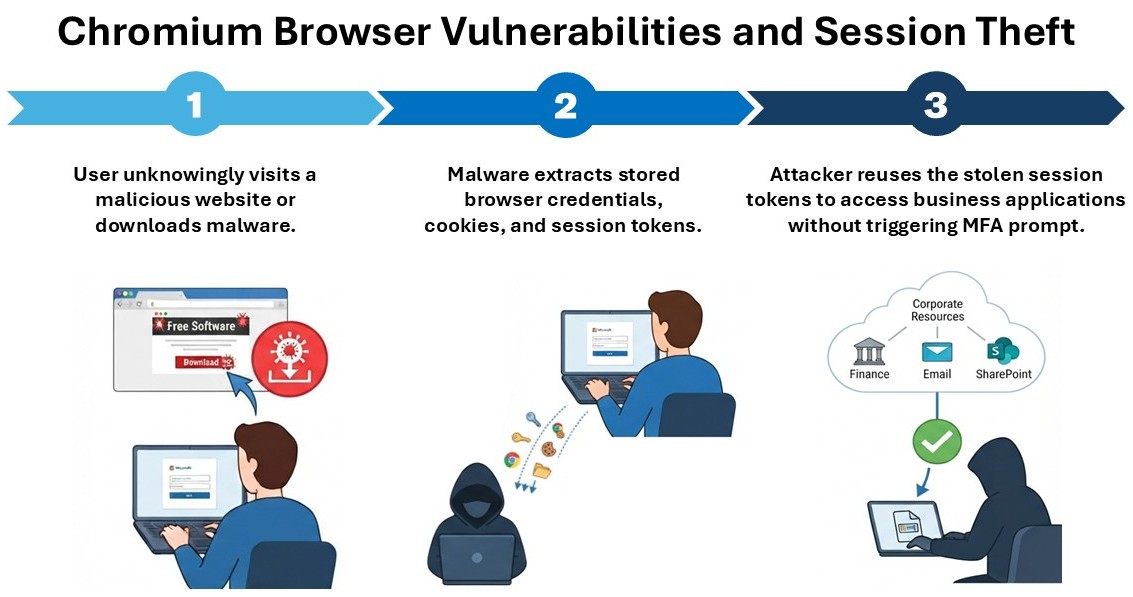
A case in point is Operation ForumTroll, a cyber-espionage campaign discovered in March 2025. Attackers exploited a zero-day vulnerability in Google Chrome, known as CVE-2025-2783, to bypass its sandbox protections and infect targeted organizations with malware.
These cyberattacks highlight an important reality: Successful authentication does not always mean the access request is trustworthy. Even with valid credentials and MFA, a compromised device or stolen session can still put your business at risk.
How Device-Based Conditional Access Strengthens Access Control
Device-Based Conditional Access is a security feature that helps organizations control access to corporate resources based on the trustworthiness of a user’s device. While traditional authentication focuses on verifying who is requesting access, Device-Based Conditional Access adds another layer of protection by evaluatingboth who the user is and whether the device can be trusted.
Before granting access, Device-Based Conditional Access verifies whether a device meets an organization’s security requirements through device compliance checks. This helps ensure that only trusted and compliant devices can access corporate applications and sensitive data, reducing the risk of compromised or unmanaged devices being used to access business resources and helping organizations defend against cyberattacks.
Several security factors determine whether a device meets the required device compliance standards, such as:
- Is the device enrolled and managed?
- Is the device compliant with company policies?
- Is the operating system up to date?
- Is disk encryption enabled?
- Is endpoint protection running?
- Is the device risk level acceptable?
- Is the device corporate-owned or an approved BYOD device?
If a device does not meet the required device compliance standards, Device-Based Conditional Access can block or restrict access.

Secure Every Login with Adventus
Implementing Device-Based Conditional Access involves more than just enabling a security feature. It requires the right strategy, configuration, and ongoing management to effectively protect your business without disrupting productivity.
As part of our Microsoft 365 Services, Adventus helps organizations implement Device-Based Conditional Access using Microsoft Entra ID to manage access policies and Microsoft Intune to manage devices and assess device compliance. From evaluating your existing security setup to configuring policies that align with your business requirements, Adventus helps strengthen access security and reduce the risk of cyberattacks involving compromised or non-compliant devices.
Whether you’re strengthening your existing Microsoft 365 environment or building a zero trust strategy from the ground up, Adventus can help you establish a more secure, compliant, and resilient workplace.
Ready to strengthen your access security? Speak to our experts at Adventus today.